|
|
|
|||
|
How to enable SSL or HTTPS in IIS 7
This example is based on Windows SBS 2008.
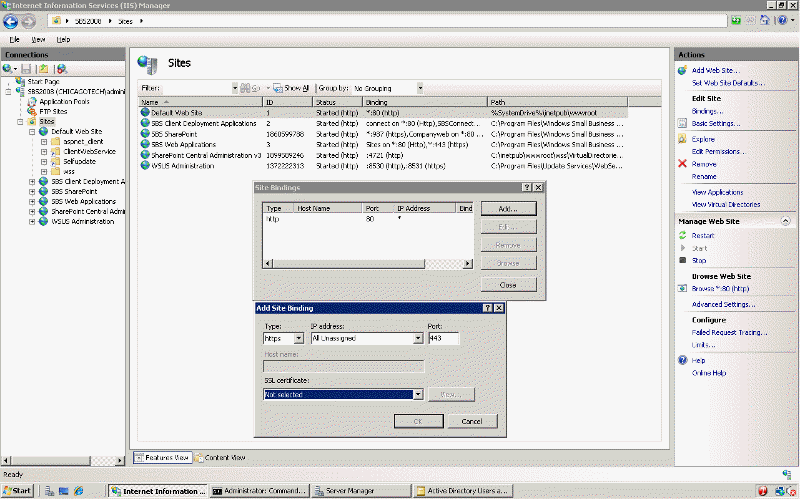
1. Open IIS from Administrative Tools. 2. Navigate to Sites>Default Web Site. Or select the web site you want to enable SSL or HTTPS. 3. In the right pane, Click Binding. 4. Default is setup Port 80. You can click Add and to HTTPS or port 443. 5. Continue the instruction to complete the settings.
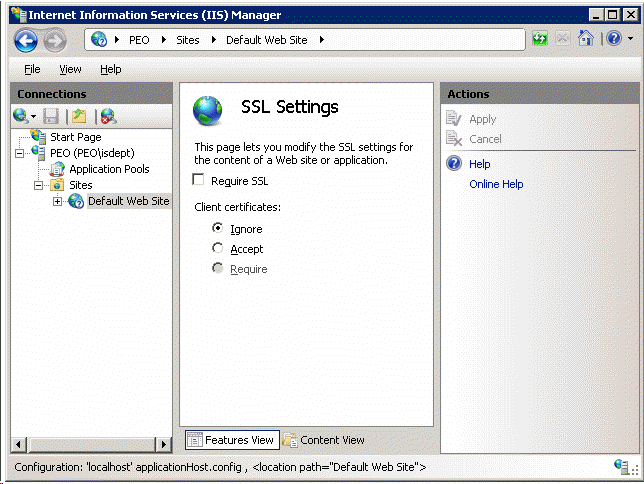
6. To enable or disable SSL, click SSL Settings in th ewebsite
Post your questions, comments, feedbacks and suggestions Related Topics
|
|
|
This web is provided "AS IS" with no warranties.
Copyright © 2002-2018
ChicagoTech.net,
All rights reserved. Unauthorized reproduction forbidden.