Home | Troubleshooting |

FREE Tech Support
Ask your questions in

http://chicagotech.net/forum1.htm

 Cisco How to| Local Search | Site Map | Forums| Windows Vista | Services  | Careers  | Contact Us| About Us     


How to Enable SSL on IIS 7.0 Using Self-Signed Certificates


B. Enable HTTPS Bindings for a Web Site


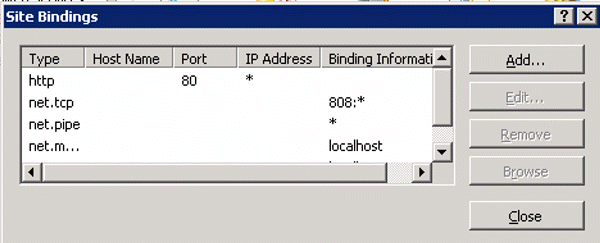
1. To enable SSL on a web site, select the web site node in the left-hand tree-view, and the click the Bindings in the Actions pane on the right-hand side of the screen.


2. In the Site Bindings, Click Add.


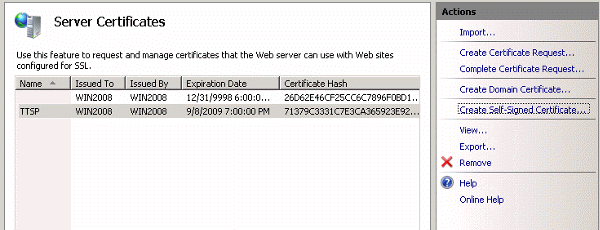
3. This will bring up an Add binding screen. Select HTTPS from the Type and the certificate we just created (SSTP in our case) in the SSL certificate.


4. Click ok to save the binding.  

Post your questions, comments, feedbacks and suggestions

Contact a consultant

Related Topics


Hit Counter   This web is provided "AS IS" with no warranties.
Copyright © 2002-2008 ChicagoTech.net, All rights reserved. Unauthorized reproduction forbidden.