|
|
|
|||
|
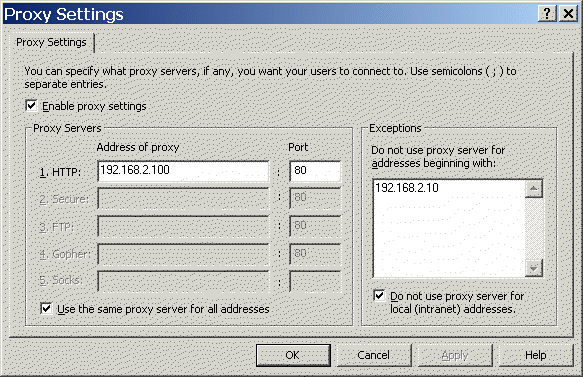
Right-click on Proxy Settings and then Properties. Check enable proxy Settings and type a fake IP address, for example 192.168.2.100 on HTTP. Under exception, type the web server IP address, for example 192.168.2.10 (Figure).
Post your questions, comments, feedbacks and suggestions Related Topics Previous Page Next Page |
|
|
This web is provided "AS IS" with no warranties.
Copyright © 2002-2018
ChicagoTech.net,
All rights reserved. Unauthorized reproduction forbidden.