|
|
|
|||
|
How to enable Windows sharing - Windows
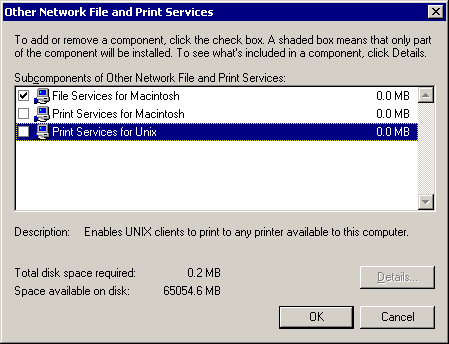
file sharing for Macintosh 1. Install File Services for Macintosh Under other Network file and Print Services, select File Services for Macintosh. Click Ok to install File Services for Macintosh.
Post your questions, comments, feedbacks and suggestions Related Topics |
|
|
This web is provided "AS IS" with no warranties.
Copyright © 2002-2018
ChicagoTech.net,
All rights reserved. Unauthorized reproduction forbidden.