|
|
|
|||
|
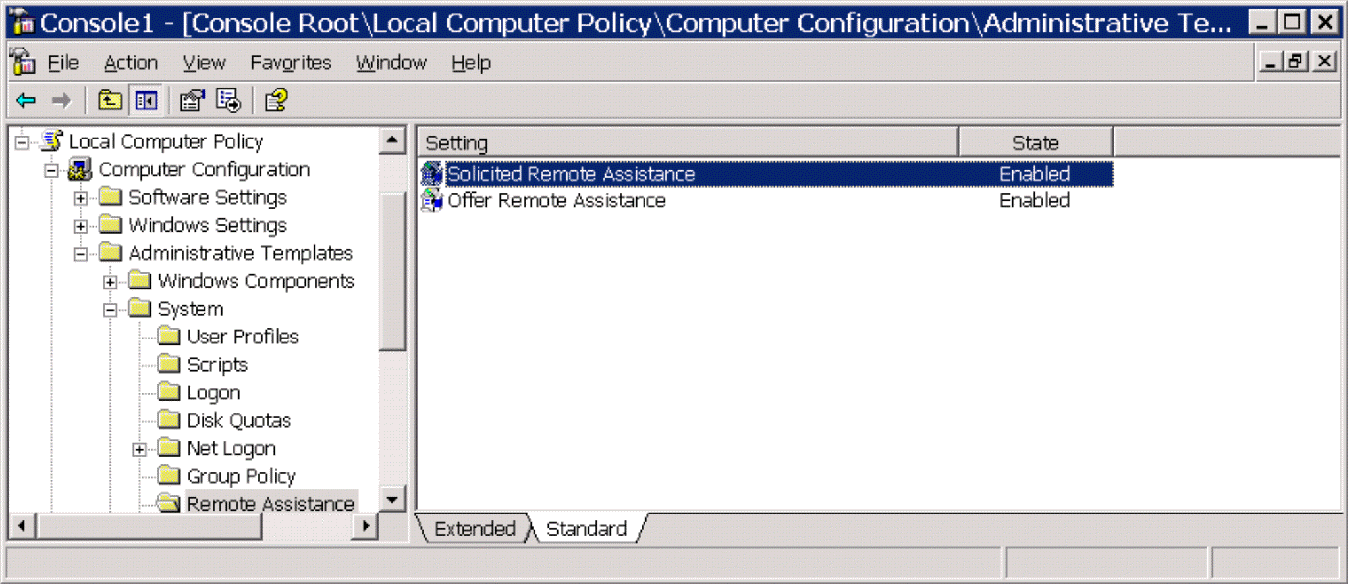
How to configure Remote Assistance without sending invitation 2/3 Under Local Computer Policy, click Computer Configuration\Administrative Templates\System\Remote Assistance\Properties. Right-click Solicited Remote Assistance and check Enable. Do the same on Offer Remote Assistance
|
|
|
This web is provided "AS IS" with no warranties.
Copyright © 2002-2018
ChicagoTech.net,
All rights reserved. Unauthorized reproduction forbidden.