|
|
|
|||
|
How to
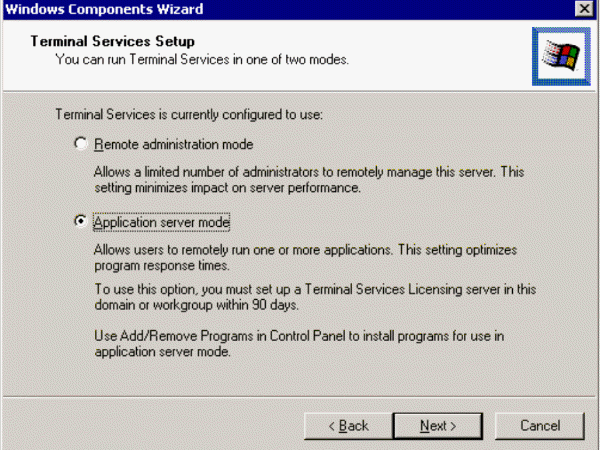
enable Terminal Services licensing on a server You have two options for Terminal Services, Remote administration mode and Application server mode. Be default, the current mode will be selected. For example, if you install Terminal Services Licensing on a domain controller which is Remote administration mode, you should keep the same mode. Even this licensing is for a application server mode which is running on another server. In our case, we are installing Terminal Services Licensing on a member of a domain network, which is running Application server mode, so we select Application server mode.
Post your questions, comments, feedbacks and suggestions Related Topics |
|
|
This web is provided "AS IS" with no warranties.
Copyright © 2002-2018
ChicagoTech.net,
All rights reserved. Unauthorized reproduction forbidden.