
|
|
|
|||
|
Home | Troubleshooting | Quick Setup | Cisco How to | Data Recovery | Forums | Blog | IT Exam Practice | Services | About Us | Chicagotech MVP | Search | Contact Us | |
|
How to enable ping and Remote Management on Linksys Router BEFSX41 Run Web-base utility from IE, for example http://192.168.1.1. To enable Remote Management, select Firewall, check Enable Remote Management and the port is 8080. To enable ping from the Internet, check Disable in Block WAN Request. Click Apply to save the settings. 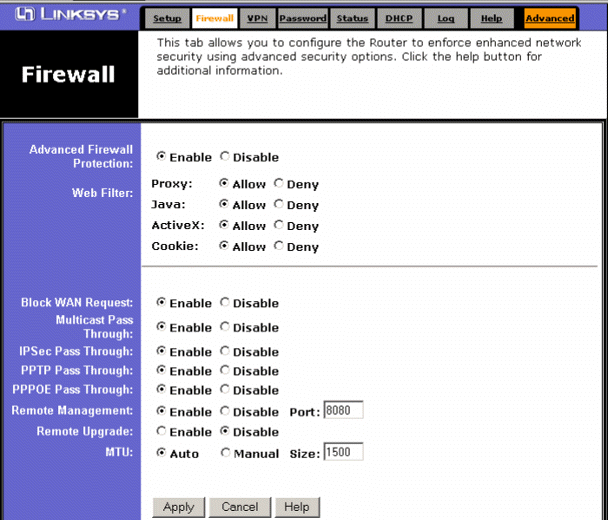 Post your questions, comments, feedbacks and suggestions Related Topics Previous Page Next Page |
|
|
This web is provided "AS IS" with no warranties.
Copyright © 2002-2018
ChicagoTech.net,
All rights reserved. Unauthorized reproduction forbidden.