|
|
|
|||
|
How to configure ISA Firewall Policy
By default, the ISA denies any inbound or outbound access. The following example descript how to configure ISA Firewall Policy to allow accessing the ISA server using Remote desktop.
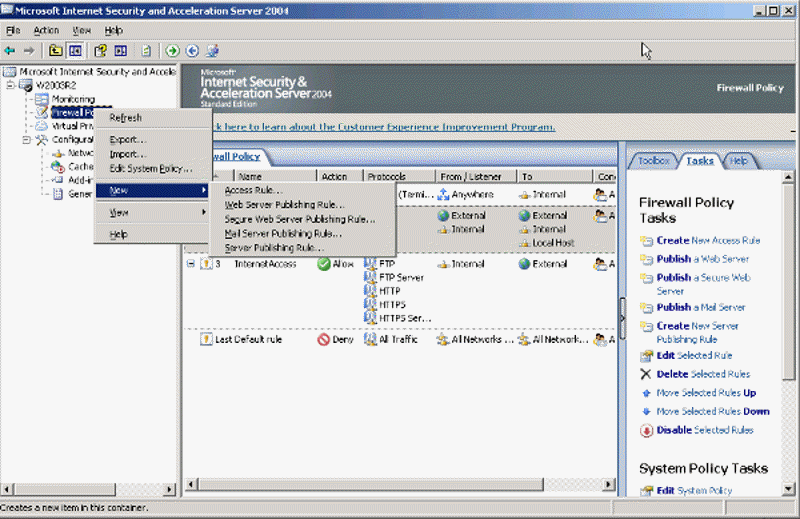
1. With ISA 2004 open, navigate the ISA server. Right-click on Firewall Policy>New>Access Rule.
Post your questions, comments, feedbacks and suggestions Related Topics
|
|
|
This web is provided "AS IS" with no warranties.
Copyright © 2002-2018
ChicagoTech.net,
All rights reserved. Unauthorized reproduction forbidden.