|
How to install and configure VPN on Windows 2008
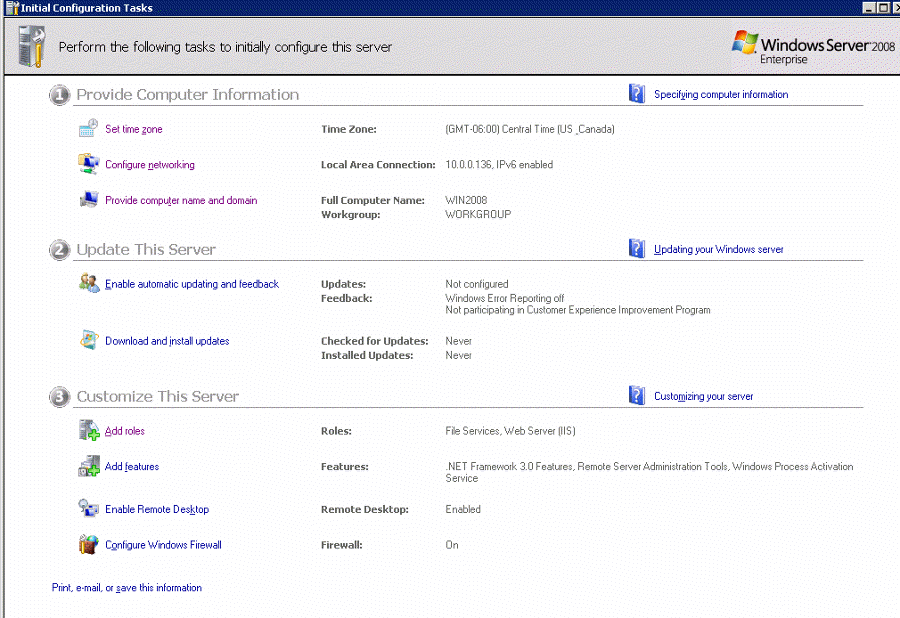
- Open the Windows 2008 Server Manager or Initial
Configuration Tasks.
- Click the Add Roles.
Next
Post your questions, comments, feedbacks and suggestions
Contact a consultant
Related Topics
Virtual Private Networks ( VPN) allow users working at
home, on the road or at a branch office to connect in a
secure manner to a remote corporate server ...
www.chicagotech.net/vpnsetup.htm |
Symptoms: you setup VPN on a laptop connecting to the
office VPN Server. At home, you can connect and
authenticate just fine but can't ping any address on ...
www.chicagotech.net/vpn.htm |
Peer to Peer VPN 2. Client to Server VPN 3.
Site to Site VPN 4. IPSec VPN 5. Exporting
VPN Client Settings 6. Multiple VPN Tunnels in
Windows Environment ...
www.chicagotech.net/vpnsolutions.htm
|
Troubleshooting VPN VPN Browsing Issues · VPN
Error Code · VPN Logon Issues · VPN Name
Resolution · VPN as Router · VPN Routing
Issues · VPN TCP/IP Settings ...
www.chicagotech.net/vpnindex.htm |
|
|

