How to use MSConfig
Microsoft System Configuration Utility (msconfig) is a utility to troubleshoot the Windows startup process. It can also be used to troubleshoot 3rd party software issues by disabling all 3rd party software services.
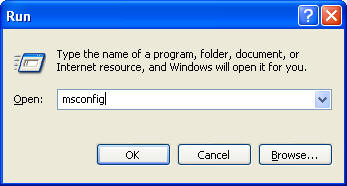
To run msconfig, clcik Run, type msconfig and press Enter to open the Microsoft System Configuration Utility.
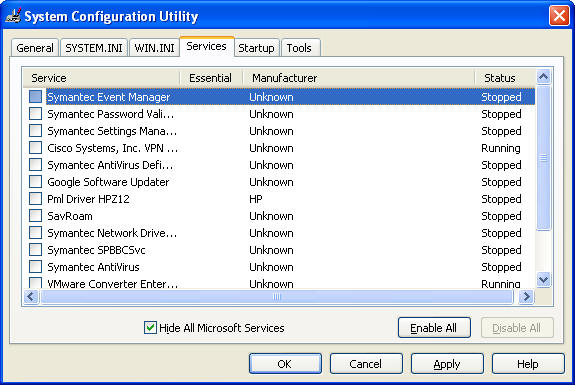
To start the windows with clean Boot, select Services and check Hide All Microsoft Services. Then uncheck all 3rd party services. Click OK to save the settings and reboot the computer.
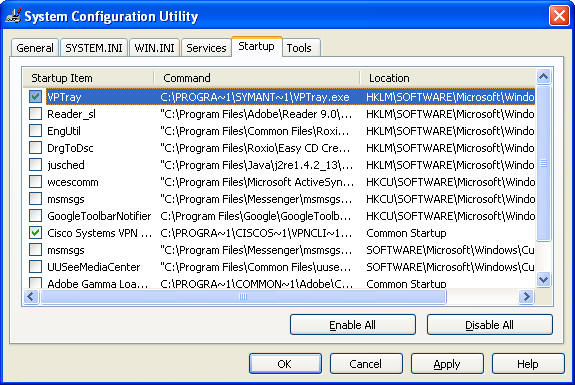
To turn off a hidden program from the Startup, select Startup and uncheck it.
please view this step by step video:
How to use MSCONFIG to troubleshoot Windows issues
Post your questions, comments, feedbacks and suggestions
Related Topics