|
|
|
|||
|
Home | Troubleshooting | Quick Setup | Cisco How to | Data Recovery | Forums | Blog | IT Exam Practice | Services | About Us | Chicagotech MVP | Search | Contact Us | Chicago Area Laptop for rent: $35 per day plus $10 for additional day |
|
How to configure windows 2008 NPS
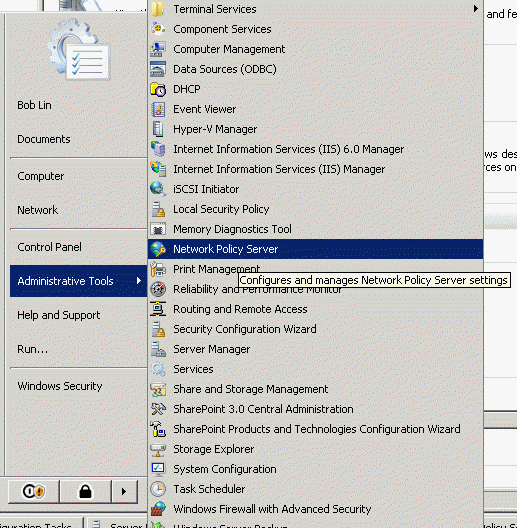
Network Policy Server (NPS) is a networking component of Windows Server® 2008 that allows you to create and enforce organization-wide network access policies for client health, connection request authentication, and connection request authorization. NPS is a new implementation of a Remote Authentication Dial-in User Service (RADIUS) server and proxy in Windows Server 2008. NPS is the replacement for Internet Authentication Service (IAS) in Windows Server 2003. To Run NPS, click Administrative Tools,,,,,, and then Network Policy Server.
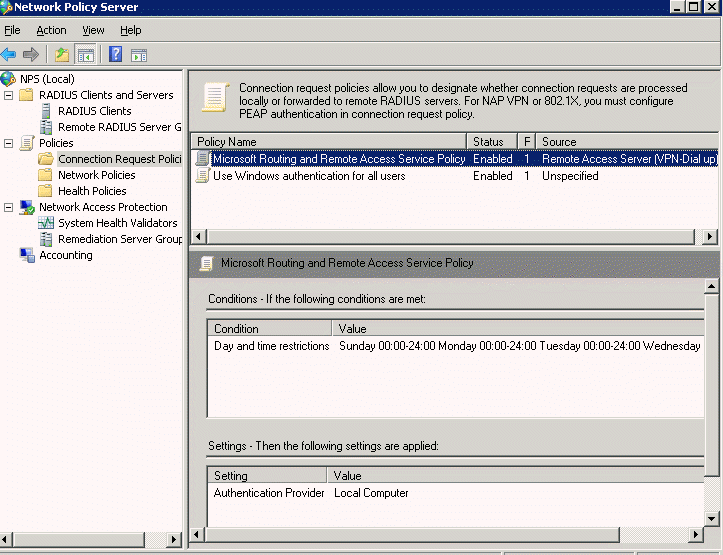
To configure a policy for remote access, click on Connection Request Policies first and then Microsoft Routing and Route Access Service Policy.
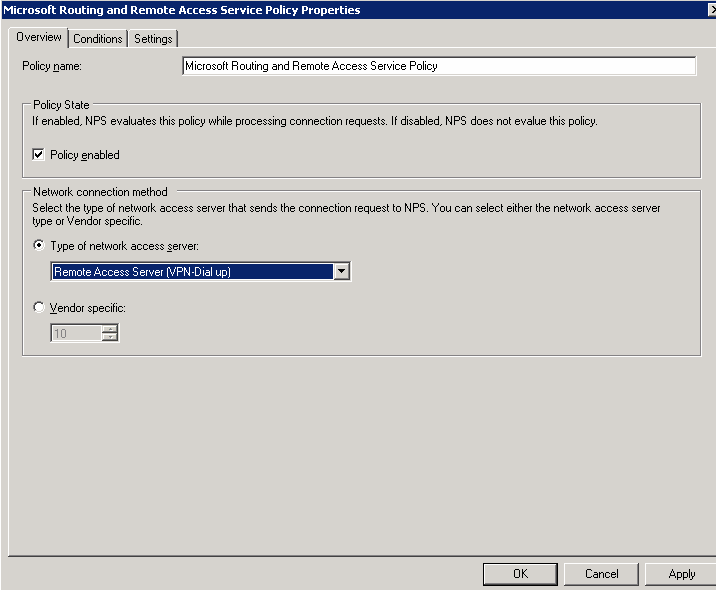
In Overview, you can enable or disable the policy, select type of network access server,
To setup day and time restrictions, click Conditions.
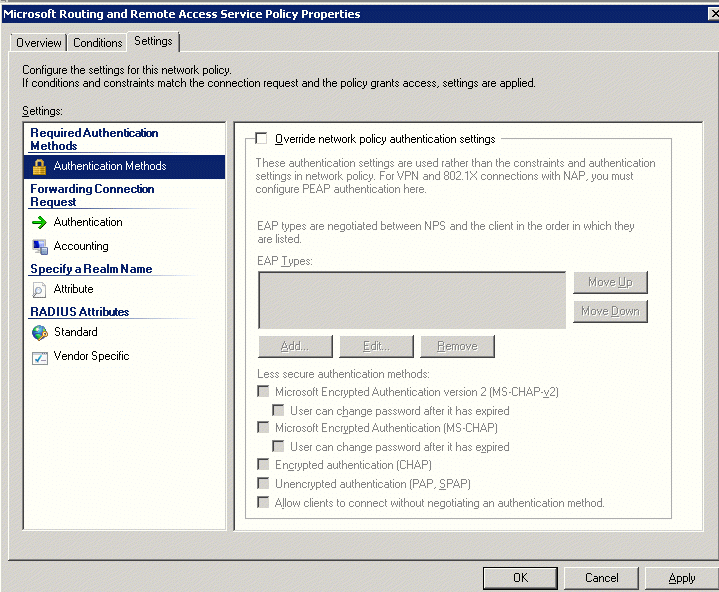
In the Settings, you can setup Authentication methods,
Post your questions, comments, feedbacks and suggestions Related Topics
|
|
|
This web is provided "AS IS" with no warranties.
Copyright © 2002-2018
ChicagoTech.net,
All rights reserved. Unauthorized reproduction forbidden.