|
|
|
|||
|
How to raise the domain and forest functional level
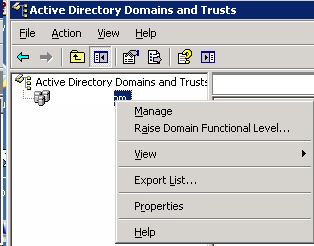
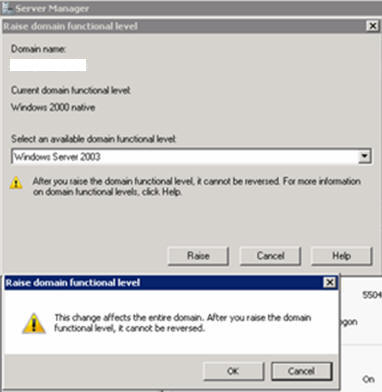
A. To raise the domain functional level
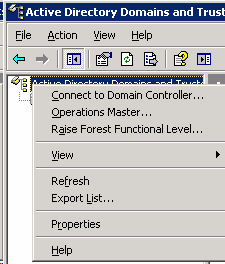
B. To raise the forest functional level
1. Open Active Directory Domains and Trusts
2. In the console tree, right-click the Active Directory Domains and Trusts , and then click Raise Forest Functional Level.
3. In Select an available domain functional level, use one of the following procedures:
Post your questions, comments, feedbacks and suggestions Related Topics
|
|
|
This web is provided "AS IS" with no warranties.
Copyright © 2002-2018
ChicagoTech.net,
All rights reserved. Unauthorized reproduction forbidden.