|
|
|
|||
|
How to enable Mobile service in Exchange
To allow users to access their email in the Internet or mobile phone, you enable mobile service in the Exchange.
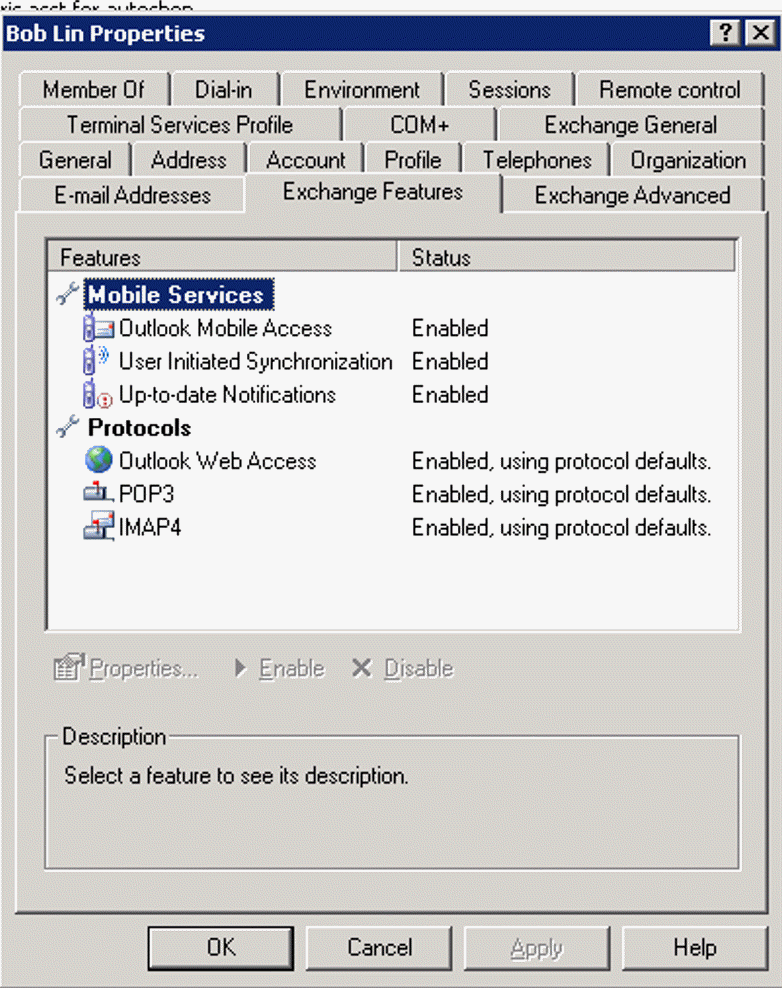
A. In the Properties of the user, make sure Mobile Services and Protocols are enabled under Exchange Features..
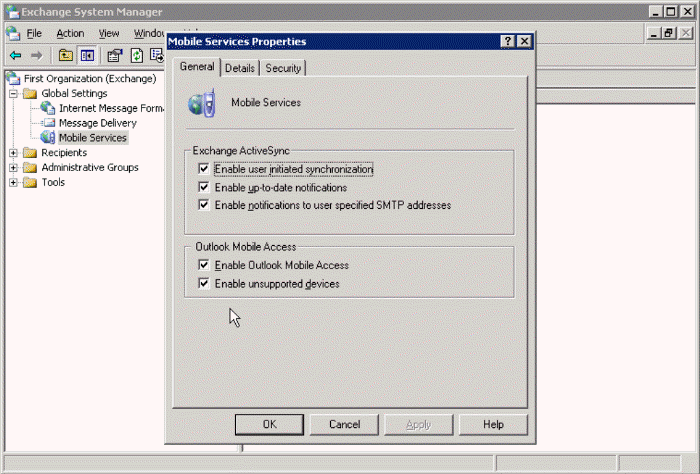
B. In the Exchange System Manager, navigate to Mobile Services. Right click on it to open the Properties. Make sure All Exchange ActiveSync and Outlook Mobile Access are enabled.
Post your questions, comments, feedbacks and suggestions Related Topics
|
|
|
This web is provided "AS IS" with no warranties.
Copyright © 2002-2018
ChicagoTech.net,
All rights reserved. Unauthorized reproduction forbidden.