|
|
|
|||
|
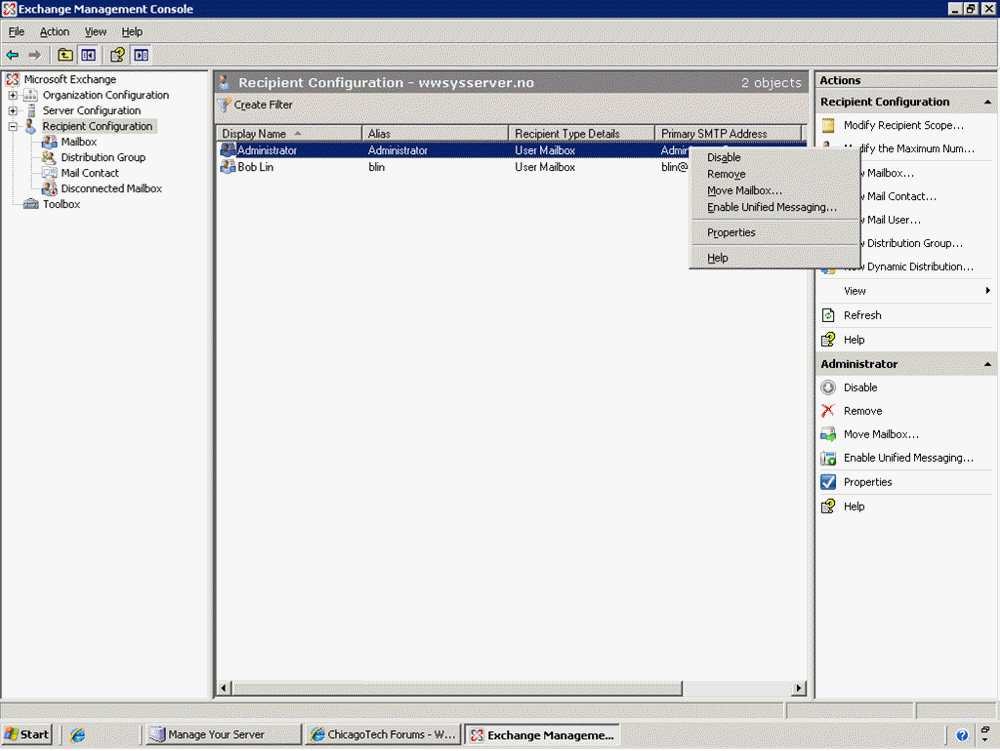
How to Disable, Remove and Move mailboxes in Exchange 2007
1. Open Exchange Management Console. 2. Select Recipient Configuration/Mailbox. Right-click on the mailbox. 3. Or in the right pane, you have options to Disable, Remove and Move Mailbox.
Post your questions, comments, feedbacks and suggestions Related Topics
|
|
|
This web is provided "AS IS" with no warranties.
Copyright © 2002-2018
ChicagoTech.net,
All rights reserved. Unauthorized reproduction forbidden.