Home | Troubleshooting |  Quick Setup  |  Cisco How to  |  MS-MVP  |  Wireless  |  Forums   | Site Map | Services  | Donations | Careers  | Search                          

Clearapps network inventory
software.


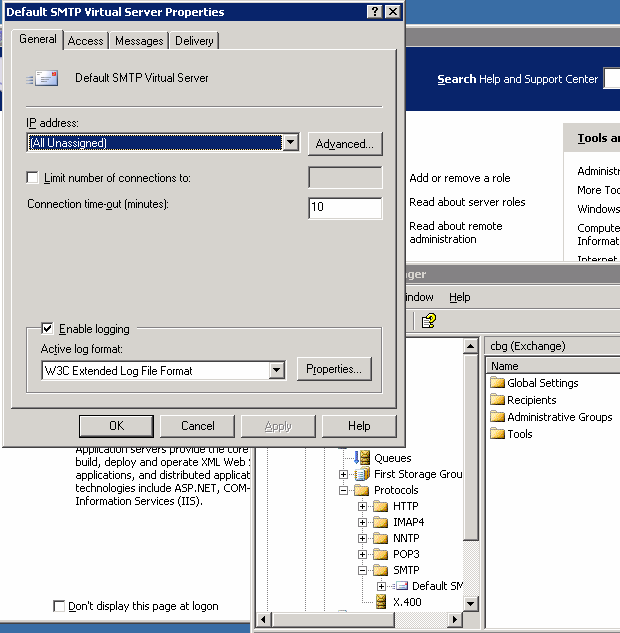
How to enable STMP logging


1. Open Exchange Manager.
2. Select Administrative Groups>domain name>Servers>Server name>Protocol>SMTP

3. Right-click on Default SMTP virtual server and Properties.
4. Check Enable logging.
5. Click all OKs to save the settings.


Post your questions, comments, feedbacks and suggestions

Contact a consultant

Related Topics


Your Ad Here

Hit Counter   This web is provided "AS IS" with no warranties.
Copyright © 2002-2012 ChicagoTech.net, All rights reserved. Unauthorized reproduction forbidden.