|
|
|
|||
|
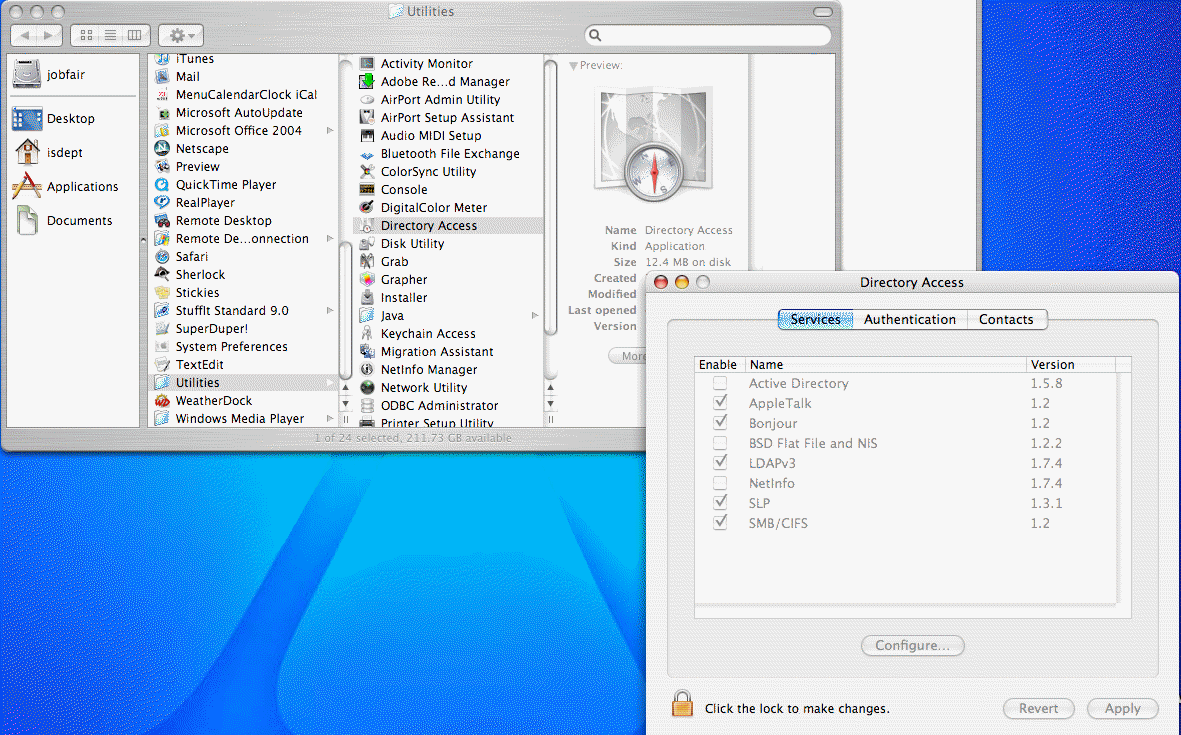
How to setup Mac to integrate with Windows Active Directory
1. Open Active Access from Application>Utilities.
2. After login, select Active Directory.
Post your questions, comments, feedbacks and suggestions Related Topics
How to enable the
Windows File Sharing
On Mac |
|
|
This web is provided "AS IS" with no warranties.
Copyright © 2002-2018
ChicagoTech.net,
All rights reserved. Unauthorized reproduction forbidden.