|
|
|
|||
|
Home | Troubleshooting | Quick Setup | Cisco How to | Data Recovery | Forums | Blog | IT Exam Practice | Services | About Us | Chicagotech MVP | Search | Contact Us | |
|
How to map SharePoint Folder as a network location
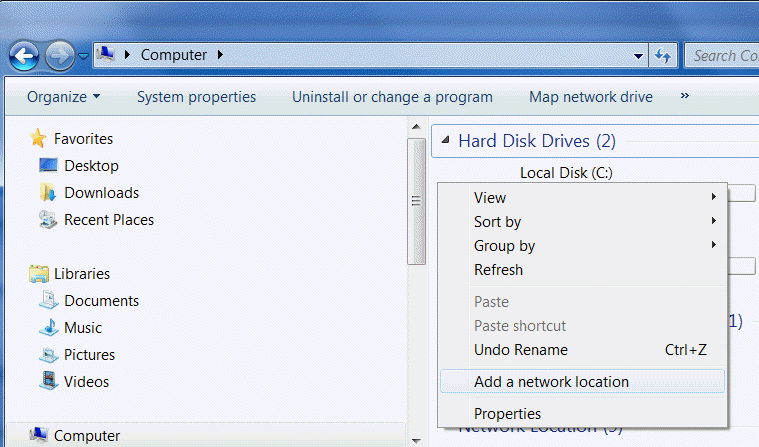
1. Open Windows Explorer. 2. Right click on the central pane and select Add a network location.
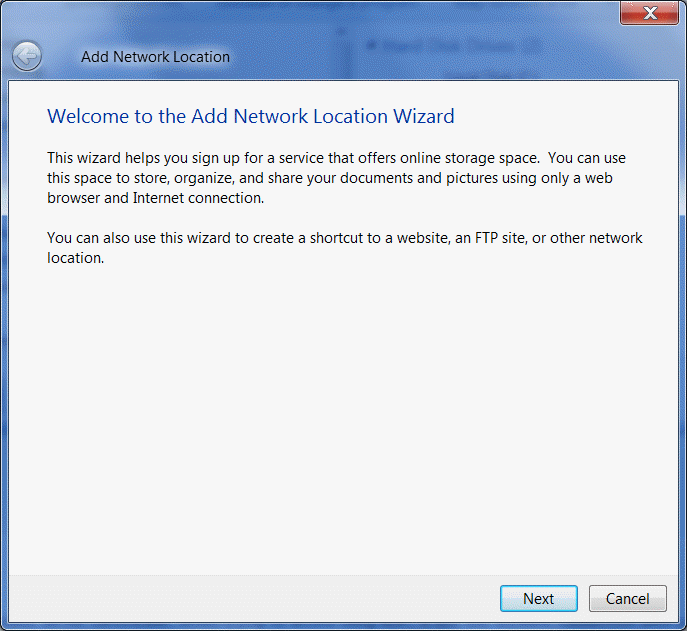
3.Click Next in Welcome to the Add Network Location Wizard.
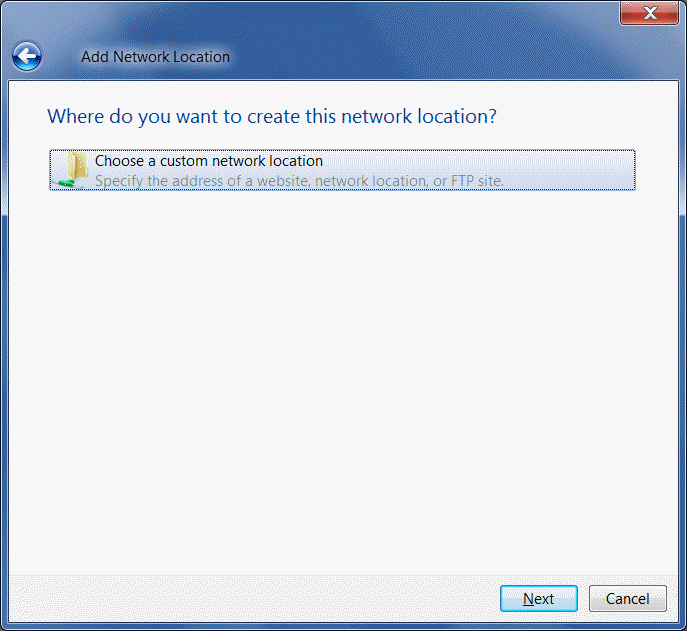
4. Highlight Choose a custom network location and click Next.
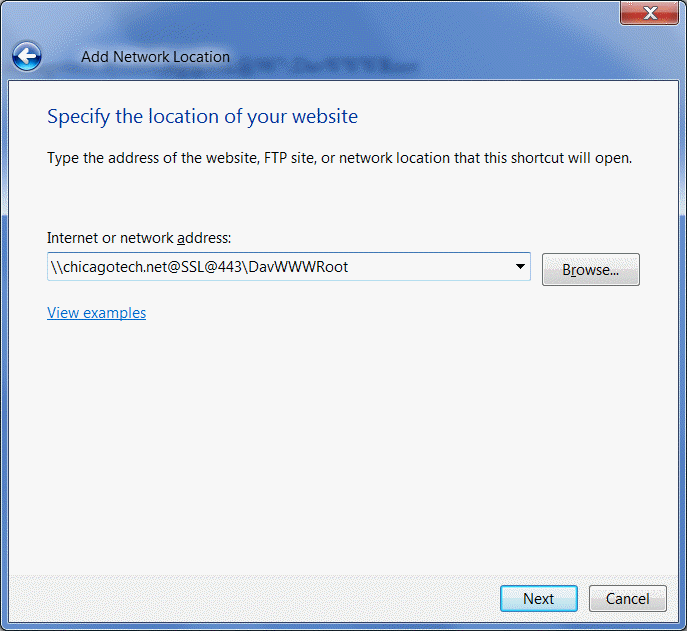
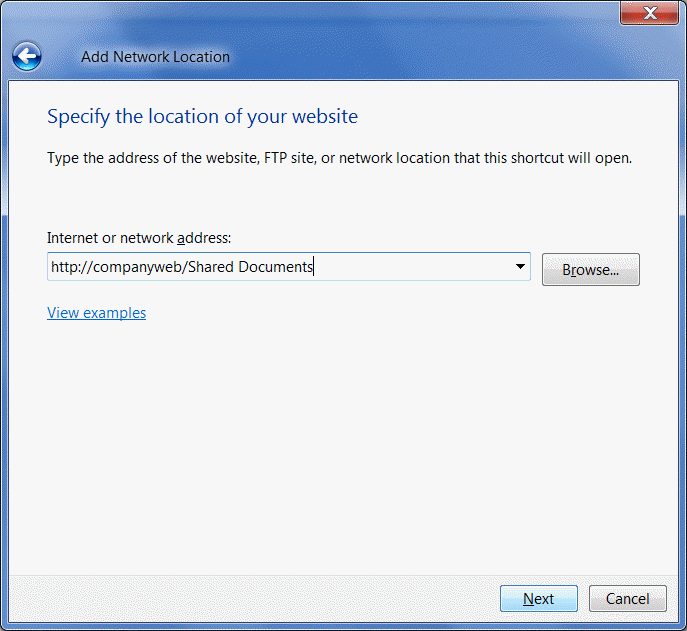
5. If you access the SharePoint from the Internet, enter \\websitename\@ssl@port#\DavWWWRoot as shown below.
If you are in the same network of the SharePoint, enter http://companyweb/shared documents or \\companyweb\DavWWWRoot\shared documents.
6. Click Next to continue. That will create a
network location for SharePoint. Post your questions, comments, feedbacks and suggestions Related Topics
|
|
|
This web is provided "AS IS" with no warranties.
Copyright © 2002-2018
ChicagoTech.net,
All rights reserved. Unauthorized reproduction forbidden.