|
|
|
|||
|
Home | Troubleshooting | Quick Setup | Cisco How to | Data Recovery | Forums | Blog | IT Exam Practice | Services | About Us | Chicagotech MVP | Search | Contact Us | |
|
How to assign permissions to Anonymous Users in SharePoint
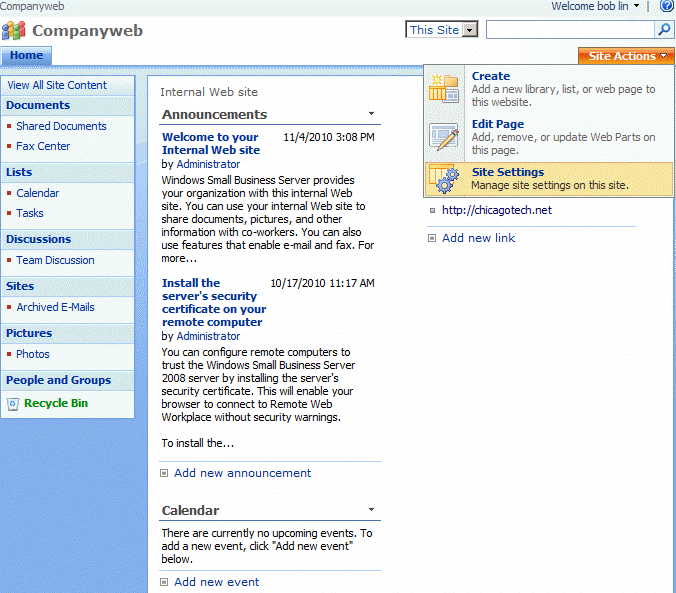
This article is based on SharePoint 2007. Note: You need to enable anonymous user to make it work. Please refer to this how to: How to enable Anonymous Users in SharePoint 1. Open the SharePoint website. 2. click Site Action and select Site Settings.
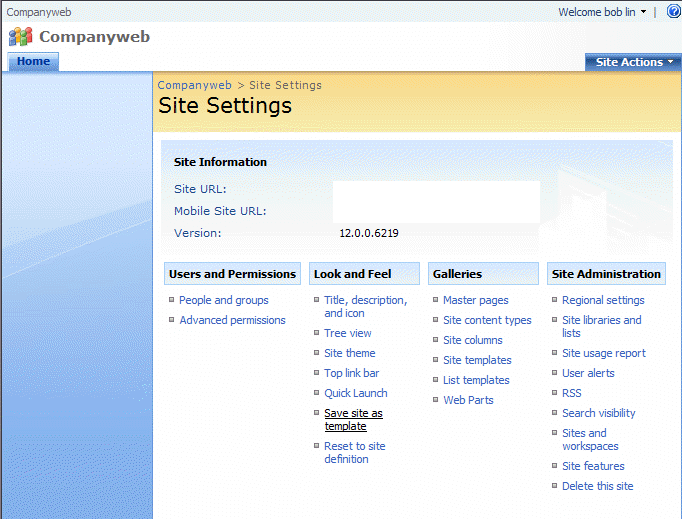
3. In Site Settings, click Advanced permissions.
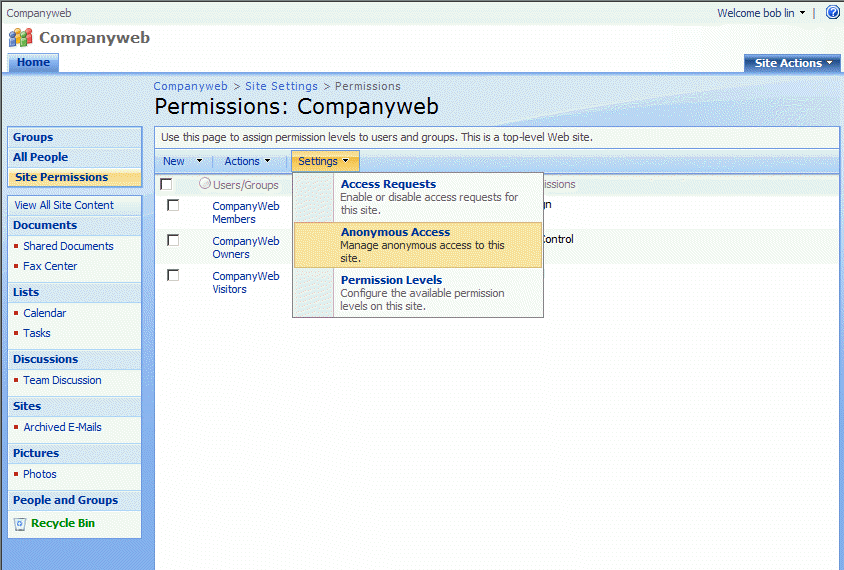
4. Click Settings and then Anonymous Access.
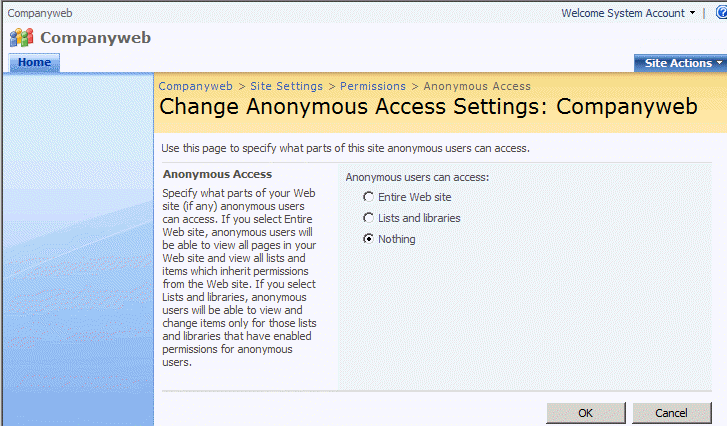
5. In the Change Anonymous Access Settings, check the access you want allow. Click OK to save the settigns.
Post your questions, comments, feedbacks and suggestions Related Topics
|
|
|
This web is provided "AS IS" with no warranties.
Copyright © 2002-2018
ChicagoTech.net,
All rights reserved. Unauthorized reproduction forbidden.