|
|
|
|||
|
Home | Troubleshooting | Quick Setup | Cisco How to | Data Recovery | Forums | Blog | IT Exam Practice | Services | About Us | Chicagotech MVP | Search | Contact Us | |
|
How to Use Acronis Recovery Bootable Disk
1. Put the Acronis bootable disk or CD in and then turn on the computer. Note: if it doesn't boot from the bootable disk/CD, you may need to re-set BIOS boot order.
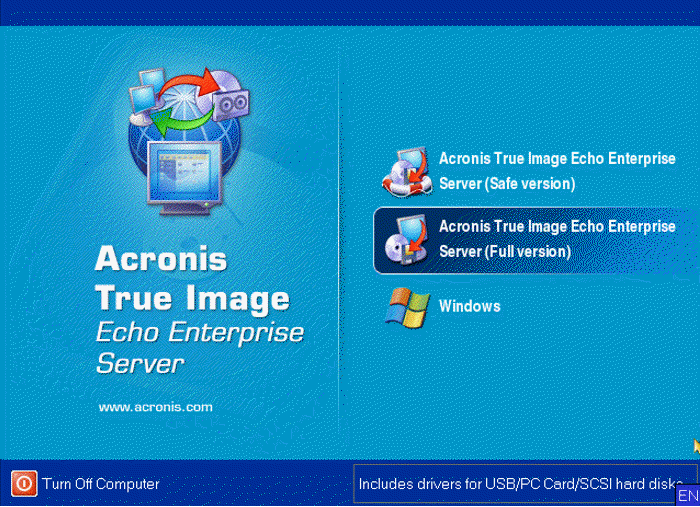
2. After from the Acronis bootable disk, select Acronis True Image Echo Enterprise Server (Full Version).
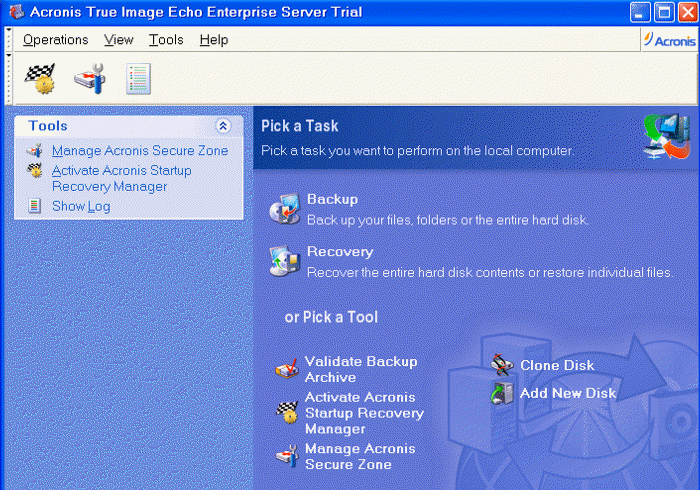
3. In the main page, select Recovery to restore the backup.
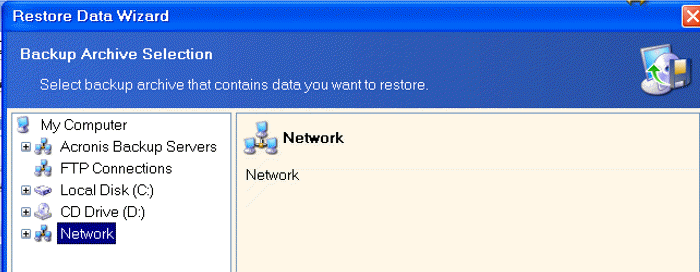
4. In the Restore Data Wizard, select the drive where the backup located to start the restore.
5. With Acronis Bootable disk, you can do more than restore. You do backup and Clone Disk as hsown below.
Post your questions, comments, feedbacks and suggestions Related Topics
|
|
|
This web is provided "AS IS" with no warranties.
Copyright © 2002-2018
ChicagoTech.net,
All rights reserved. Unauthorized reproduction forbidden.