|
|
|
|||
|
Home | Troubleshooting | Quick Setup | Cisco How to | Data Recovery | Forums | Blog | IT Exam Practice | Services | About Us | Chicagotech MVP | Search | Contact Us | |
|
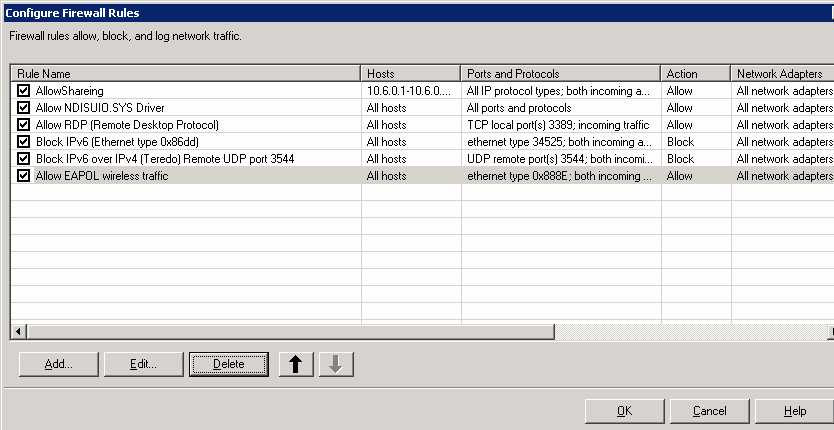
How to configure Firewall Rules in Symantec EndPoint
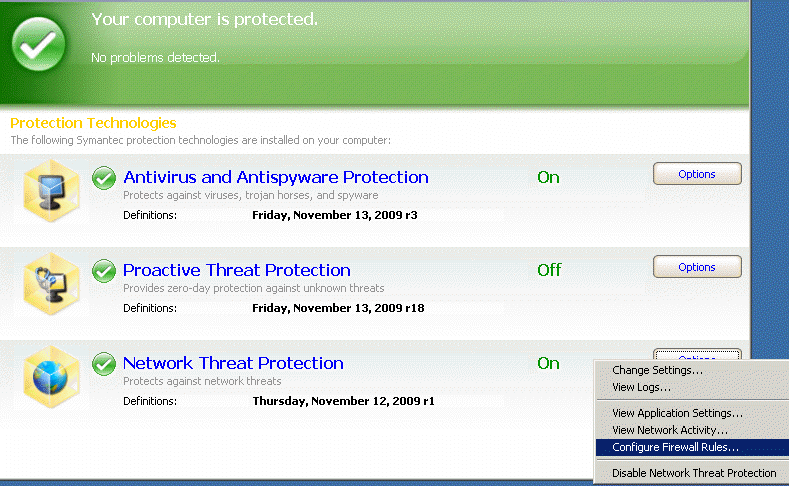
1. In Network Threat Protection, click on Option. Select Configure Firewall Rules.
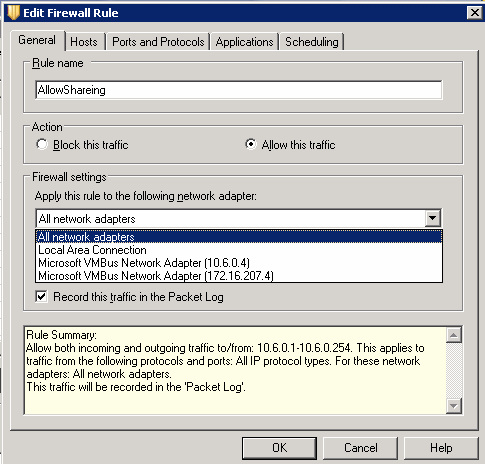
2. In the General, check Allow this traffic and select a network adapter.
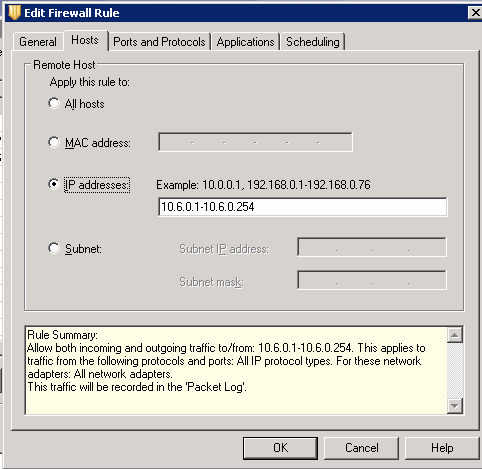
3. In Host, select the rule apply to all hosts or IP addresses.
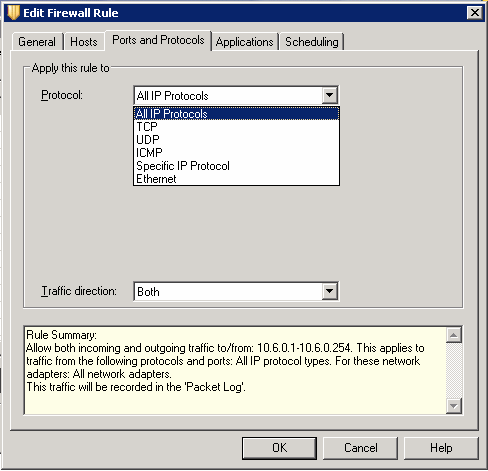
4. In Ports and Protocols, select the protocol you want to use.
5. The top override the lower level rule.
Post your questions, comments, feedbacks and suggestions Related Topics
|
|
|
This web is provided "AS IS" with no warranties.
Copyright © 2002-2018
ChicagoTech.net,
All rights reserved. Unauthorized reproduction forbidden.