|
|
|
|||
|
Home | Troubleshooting | Quick Setup | Cisco How to | Data Recovery | Forums | Blog | IT Exam Practice | Services | About Us | Chicagotech MVP | Search | Contact Us | |
|
How to
1.
Open Printer and Fax.
2.
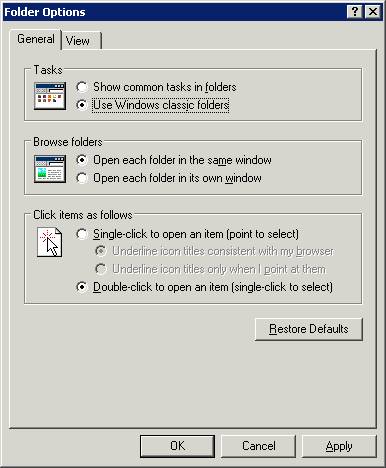
Select Tools>folder Options. 3. In the Tasks, check User Windows classic folder.
4.
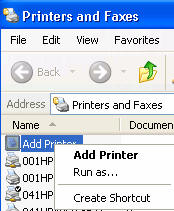
Hold Shift key and right click on Add Printer. Then select Run as.
5.
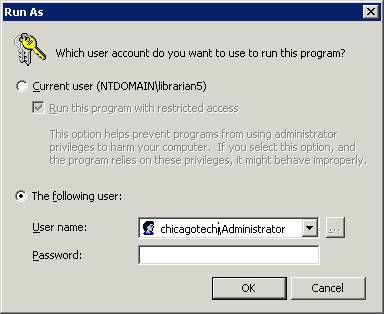
Check “The following user” and enter your administrator and password.
6.
Follow the instruction to add the printer.
Post your questions, comments, feedbacks and suggestions Related Topics
|
|
|
This web is provided "AS IS" with no warranties.
Copyright © 2002-2018
ChicagoTech.net,
All rights reserved. Unauthorized reproduction forbidden.