|
|
|
|||
|
Home | Troubleshooting | Quick Setup | Cisco How to | Data Recovery | Forums | Blog | IT Exam Practice | Services | About Us | Chicagotech MVP | Search | Contact Us | |
|
How to setup DHCP redundancy (50/50) on Windows 2008
To setup windows DHCP redundancy, you can set up two DHCP servers applying 50/50 configuration (or 80/20 if you don't have enough IP addresses. This article will show you how to do it step by step.
A. Install DHCP
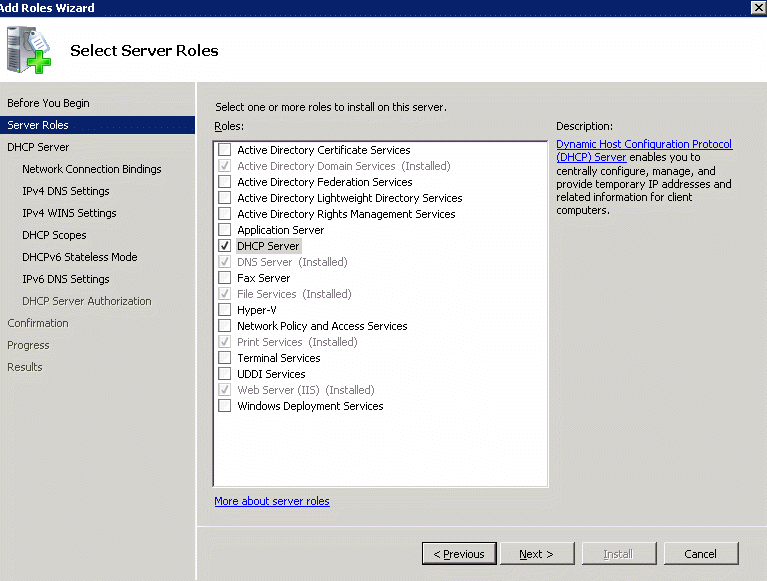
1. Run Server Manager from Administrative Tools. 3. Select Server Roles and click Next. 4. Check the DHCP Server in the details pan. Click Next to continue.
Post your questions, comments, feedbacks and suggestions Related Topics
|
|
|
This web is provided "AS IS" with no warranties.
Copyright © 2002-2018
ChicagoTech.net,
All rights reserved. Unauthorized reproduction forbidden.