|
|
|
|||
|
Home | Troubleshooting | Quick Setup | Cisco How to | Data Recovery | Forums | Blog | IT Exam Practice | Services | About Us | Chicagotech MVP | Search | Contact Us | |
|
Virtualization How to
Can
I convert a Physical Computer Into a VM How to add USB device to VMware VMHow to backup a VM in Hyper-V using the Barracuda Backup ServiceHow to Configure VLAN in Cisco, Windows and VMware Environment How to convert VMware VM without VMware Tools to Hyper-V
How to expand VM disk in Hyper-V
|
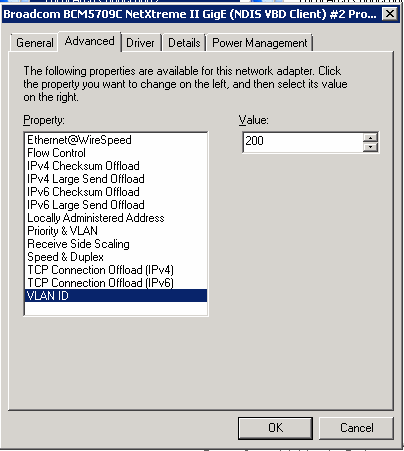
| Scenario 2: Configure Cisco switch port "switchport mode access" to access default VLAN. If you want to access VLAN 1, you will configure port using "switchport mode access" command. By default, the LAN will connect to the VLAN 1 and You don't need to make any cahnges in the LAN settings. |
Scenario 3: If you want to restrict the LAN connect to certain VLAN in a port, you will use "switchport access vlan 800" and "switchport mode access" command (Note: in our example VLAN 800 is SAN). since the port is configured for VLAN 800, you don't need to make any changes in the LAN settings.
Post your questions, comments, feedbacks and suggestions
Related Topics
|
|
|
This web is provided "AS IS" with no warranties.
Copyright © 2002-2018
ChicagoTech.net,
All rights reserved. Unauthorized reproduction forbidden.