|
|
|
|||
|
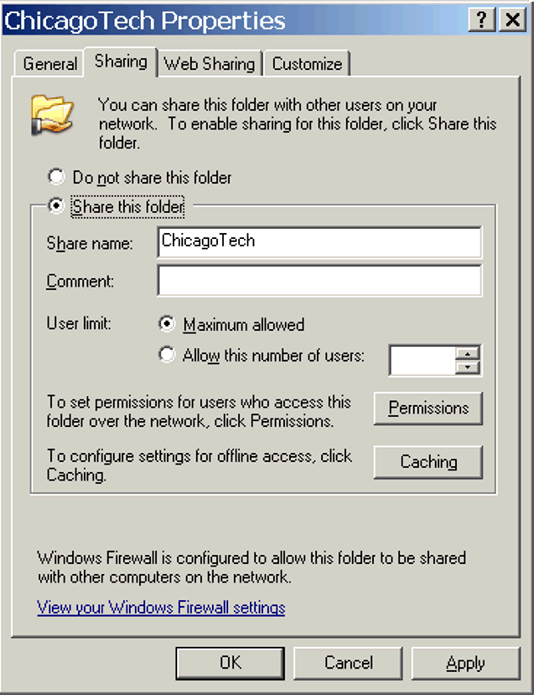
Troubleshooting "... is not accessible" error step by step C4 To share a folder, right-click on the folder and select Properties. Check Share this folder.
Related Topics
"System Error 5 has occurred"
|
|
|
This web is provided "AS IS" with no warranties.
Copyright © 2002-2018
ChicagoTech.net,
All rights reserved. Unauthorized reproduction forbidden.